How to write a good prompt
The basics of getting the result you want from AI. Task, context, examples and structure, with short examples for teachers and vibe coders.
A prompt is the instruction you give to an AI. However powerful the model is, it can’t know the context in your head. It only knows what you want, who it’s for and what the result should look like if you tell it.
The guides published by Anthropic, OpenAI and Google use different words, but they meet at the same point: a clear task, enough context, examples where needed, and a clear output format.
Think of a new hire
It helps to think of the AI as a very capable employee who has just started. Smart and fast, but they don’t know your rules, your habits, or why you want what you want.
There’s a simple test: Show your prompt to a colleague who knows nothing about the topic. If they don’t understand what to do, neither will the AI.
The four parts of a prompt
Not every prompt needs all four parts, but the more of them it has, the more accurate the result:
- Task: What needs to be done? Start with a verb: write, summarize, fix, compare.
- Context: For whom, for what purpose, under what conditions? Who the reader is, where the result will be used.
- Format: What should the output look like? A table, a bulleted list, how many words, which file type.
- Role: What expertise should the AI think with? Even a single sentence like “As an experienced English teacher…” changes the tone and focus.
Here’s what the difference looks like:
Weak:    Make an exercise on the past tense.

Strong:  Make a Past Simple exercise for a 14-year-old student at
         A2 level. The student is fine with regular verbs but
         struggles with irregular ones. Include 10 gap-fill
         questions; 7 should use irregular verbs. Add the answer
         key separately at the end.
The second prompt is longer, but it leaves nothing for the AI to guess.
Core principles
1. Be clear and direct
Ask for what you want directly. Say “Do this” instead of “Could you maybe do something?” If you want an above-average result, say so explicitly; the AI can’t infer your expectations from a vague request. “Build a login page” and “Build a login page, with error messages, a show-password button and keyboard accessibility” don’t produce the same result.
When order matters, write the steps as a numbered list.
2. Explain why
Explaining the reason behind a rule helps the AI generalize it correctly. If you say “A1 students will read this text, so keep the sentences short and simple” instead of “Don’t write long sentences”, the AI adjusts not only sentence length but also word choice.
3. Show examples
The most reliable way to convey the format, tone or structure of an output is to give examples. A few well-chosen examples do more than long explanations. Anthropic’s guide recommends three to five examples for the best results.
When choosing examples:
- Make them resemble your real task.
- Make them different from each other, or the AI will also copy a pattern you didn’t want.
- Keep them separate from the instructions: under an “Example:” heading or in their own section.
Keep in mind: The AI may follow examples more closely than instructions. If your example shows one thing and your instruction says another, the result usually resembles the example.
4. Split the prompt into sections
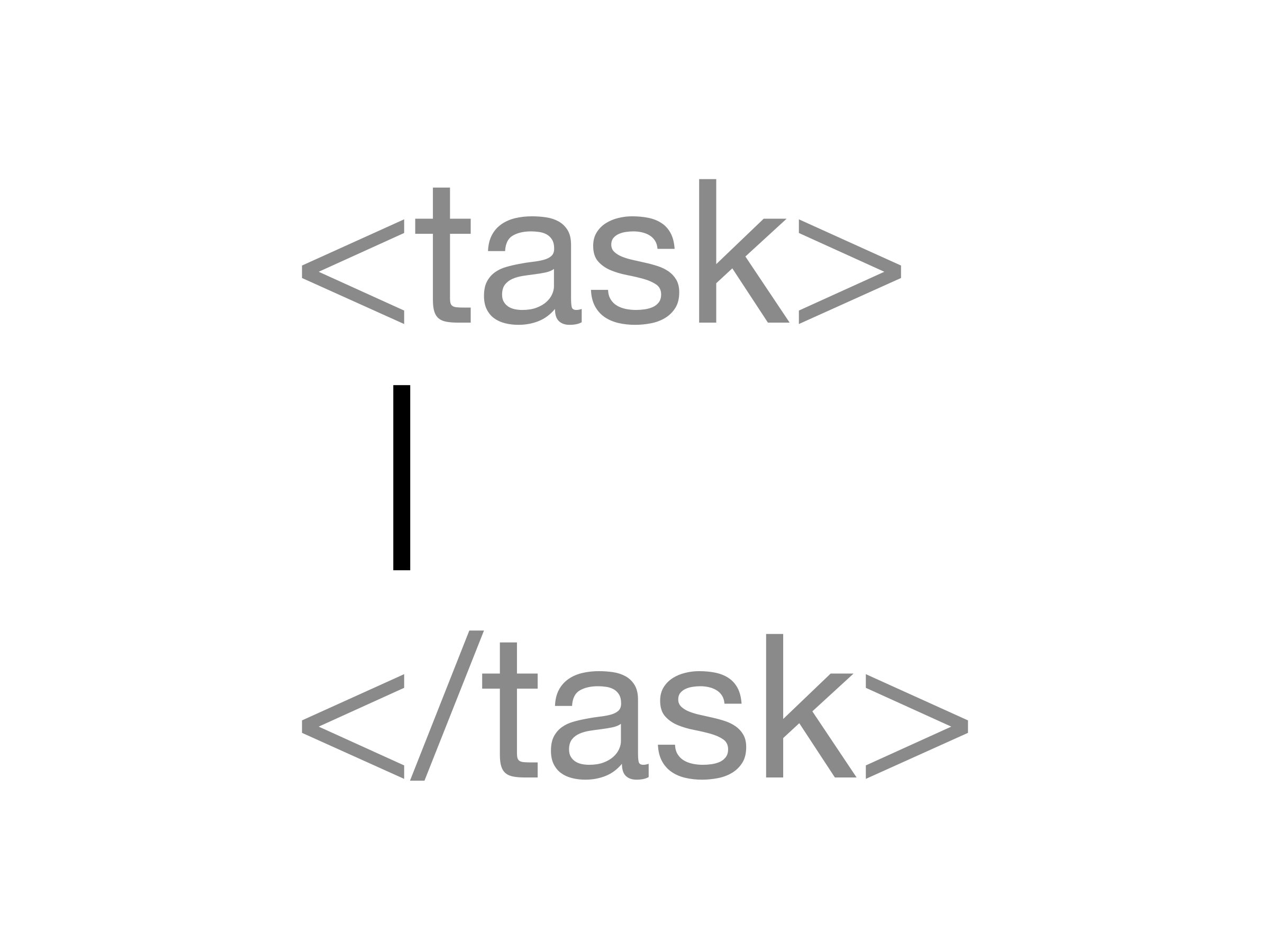
When instructions, context, examples and the text to process are mixed into one paragraph, the AI can confuse what’s what. Separate the sections with headings or tags:
<task>
Mark the grammar mistakes in the student text below.
Don't write the correction; only name the type of mistake.
</task>

<student_text>
Yesterday I go to the park and I see my friend...
</student_text>
If you’re working with a long document, put the document first and the question last. In Anthropic’s tests, putting the question at the end clearly improves response quality, especially with long inputs containing several documents.
5. Say “do” instead of “don’t”
Saying what not to do works less well than saying what to do. Say “Write in flowing paragraphs” instead of “Don’t use bullet points”. When following a negative rule, the AI doesn’t know what to put in its place; a positive rule gives it direction.
The format of your prompt also shapes the output. A prompt full of bullet points tends to get a response full of bullet points.
6. Break big jobs into pieces
Instead of asking for a whole unit or every screen of an app in one prompt, split the work into steps. First the plan, then the first piece, then a check. You see the result at each step and correct the direction early.
7. Treat the first output as a starting point
The first answer is rarely the final one. Say what’s missing or extra, and ask again. Short corrections like “shorter”, “more formal” or “drop the third point” are usually enough. If you keep making the same correction, make it part of your next prompt from the start.
Short examples for teachers
Lesson plan:
Prepare a PPP lesson plan for a 40-minute speaking lesson,
9th grade, A2 level. Topic: weekend plans ("going to").
The class has 32 students and is crowded; choose activities
suited to pair work. Write the timing of each stage and the
instructions the teacher will give.
Feedback:
A B1 student wrote the composition below. First write two
strengths, then the three most important areas to improve.
Address the student directly; be encouraging but clear.
Stay under 120 words in total.
Short examples for vibe coding
Debugging:
I have a list screen in SwiftUI. When I delete an item, the
app crashes. The error message and the relevant file are
below. First explain the cause of the crash, then suggest the
smallest fix. Don't touch other files.

<error> ... </error>
<file> ... </file>
New feature:
I want to add a dark mode option to the Settings screen:
System, Light, Dark. The choice should be remembered after
the app closes. Before writing any code, briefly explain which
files you'll change and how you'll structure it; start once
I approve.
The last sentence of the second example is one of the biggest time-savers in vibe coding: Seeing the plan before code is written stops a change heading in the wrong direction right at the start.
A short checklist
Before sending a prompt:
- Is the task written clearly, with a verb?
- Are the reader, purpose and conditions clear?
- Are the format and length of the output defined?
- If needed, is there an example, and is it separate from the instructions?
- Are the rules written as “do”, with their reasons?
- Would a colleague who knows nothing about the topic understand what to do?